
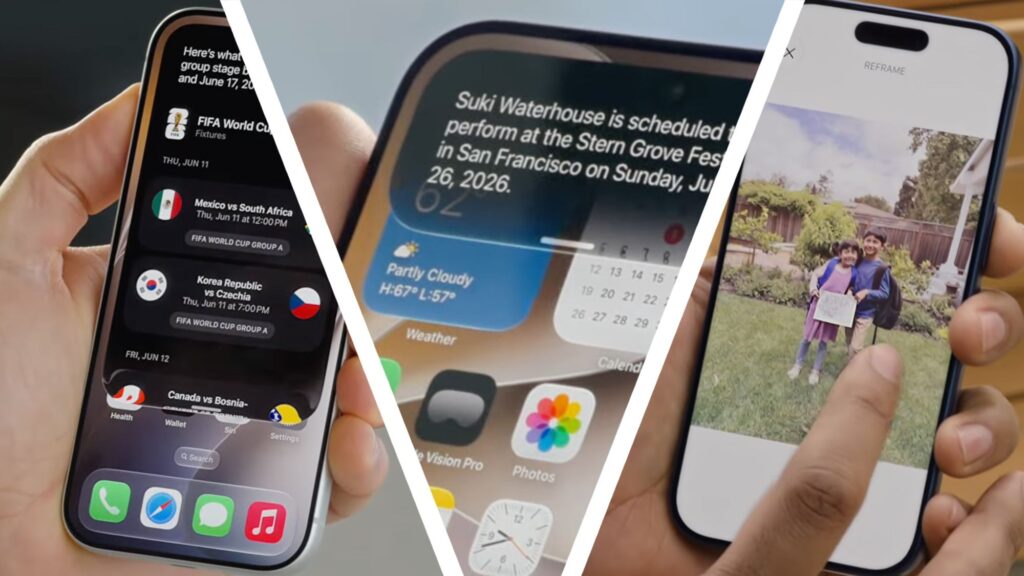
iOS 27 has officially been revealed – and if you’re an iPhone owner, that means there’s a very long list of software goodies on the way.
The final version of iOS 27 won’t actually be released until September, but an early developer beta is available for download now, and a public beta will likely follow in July.
But what do you really have to look forward to? I’ve been using iPhones since the 3GS (yes, I’m that old) and below are the seven biggest iOS 27 features I’m looking forward to seeing.

1. A new Siri AI
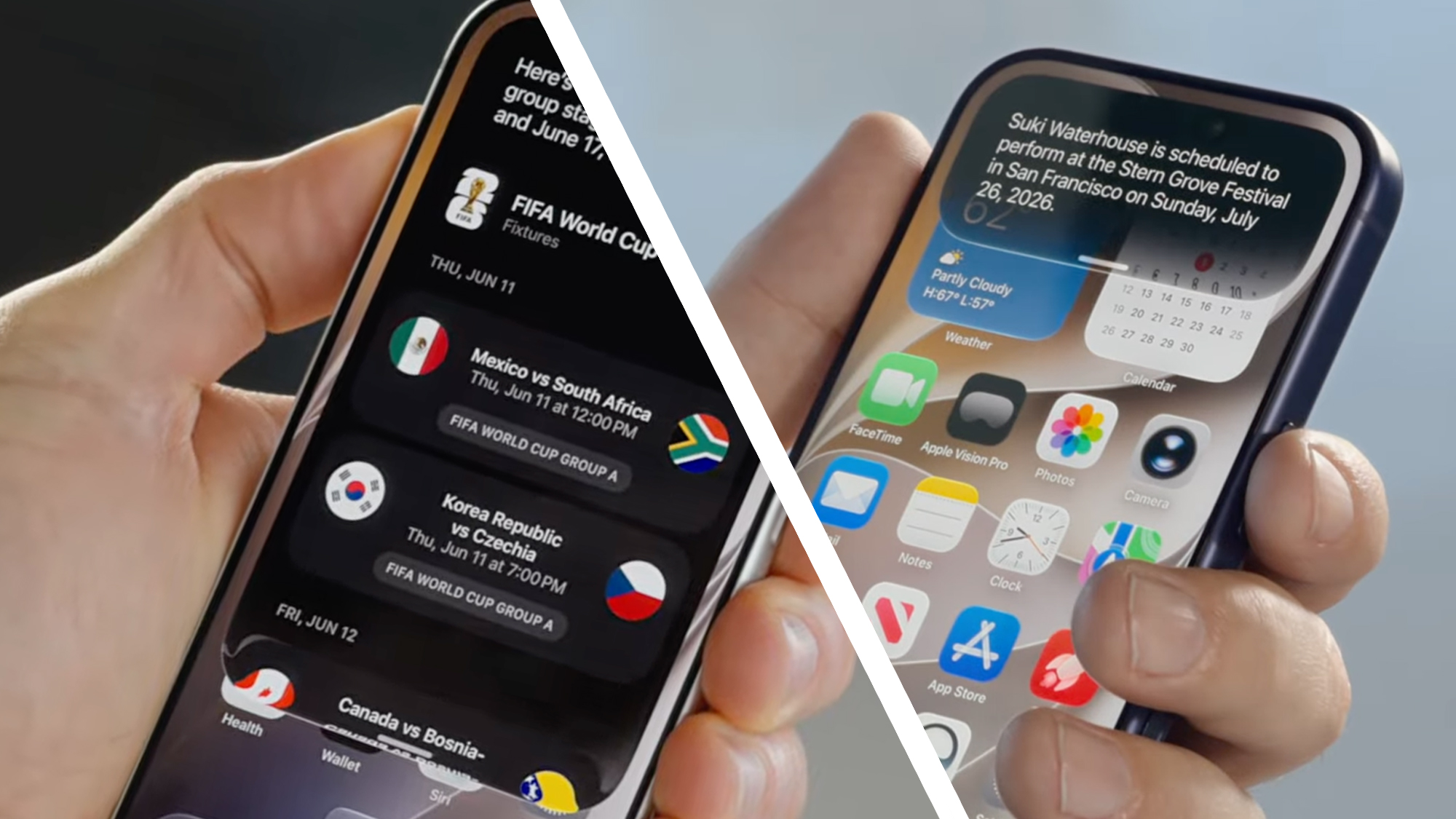
Yes, it’s finally happening. Two years after Apple initially announced a more personal version of Siri, a next-generation assistant called Siri AI is finally arriving — well, as long as you live outside the EU.
Siri AI looks to be the conversational assistant we hoped to see back in 2024. Based on Apple’s new Foundation models (which were built with Google), it understands your “personal context” — so it can answer questions by pulling information from your messages, emails, photos and more.
It will also be available in a dedicated Siri AI app that lets you go back to old conversations that it remembers, and you can also use iCloud to sync your conversations privately across devices. A Siri mode in the Camera app will also boost the iPhone’s visual search — for example, so you can get nutritional information about your hastily assembled dinner.
Unfortunately for those in the EU (which does not include the UK), Apple has said that Siri AI will not be available there due to the Digital Markets Act (DMA). But for the rest of us, it looks like iOS 27’s biggest upgrade — and it’s coming to the iPad, Mac, Apple Watch, and Vision Pro, too.
2. Liquid Glass finally gets a slider
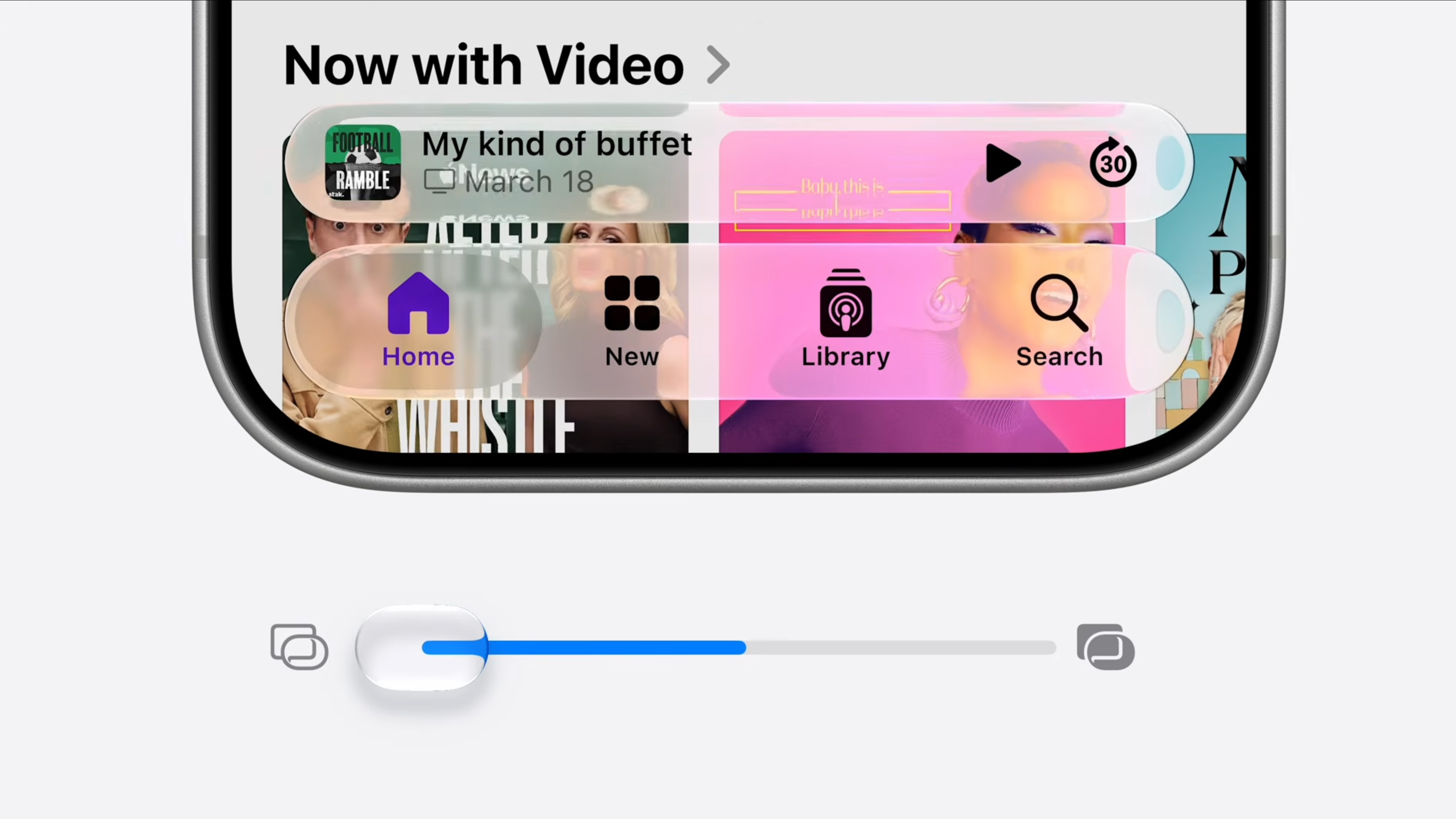
If you’re not a big fan of Liquid Glass on iOS 26, we’ve got good news – Apple has admitted its critics had a point and has given us an opacity slider to adjust the effect to our liking.
The new slider allows you to adjust how glassy the effect is on areas like tabs and menus. Apple says it can go from “ultra clear” to “fully tinted” (which basically removes the effect).
Liquid Glass will now also apparently do a much better job of dispersing any content behind the effect, which should be a boon for readability.
3. The Passwords app can change your passwords for you
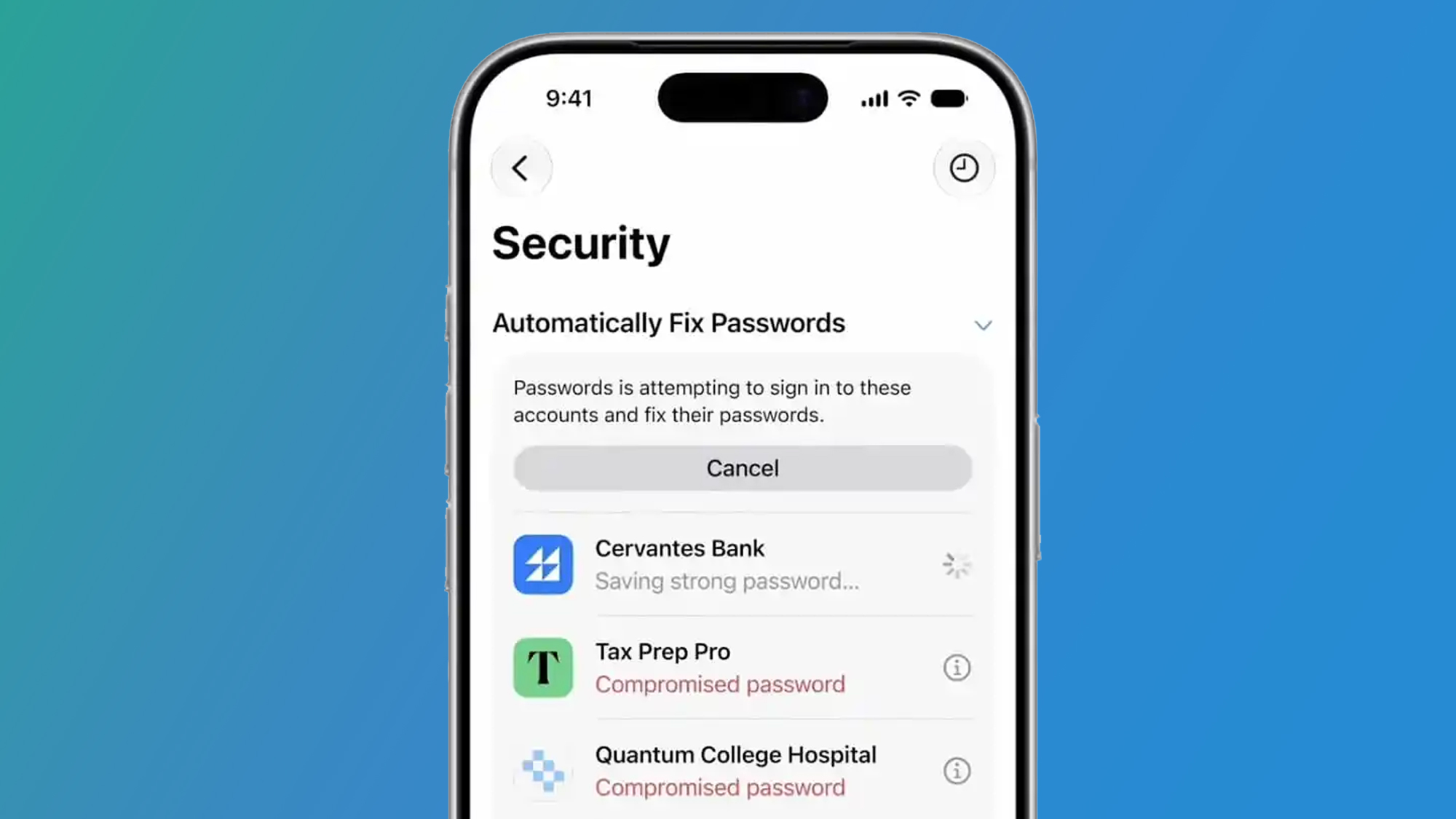
Here’s a minor iOS 27 update that could be one of its sleeper hits — the Passwords app will now be able to change weak or compromised passwords for you.
The app currently tells you if any of your passwords have been leaked or appeared in known security incidents. But instead of fixing these passwords manually, in iOS 27 you can tell the Passwords app to automatically change and update them to something that’s strong and secure.
Apple says the feature will let you update the passwords of “eligible accounts,” so it remains to be seen how broad that support is, but it certainly sounds like a potential time saver.
4. Apple Photos gets new editing tricks
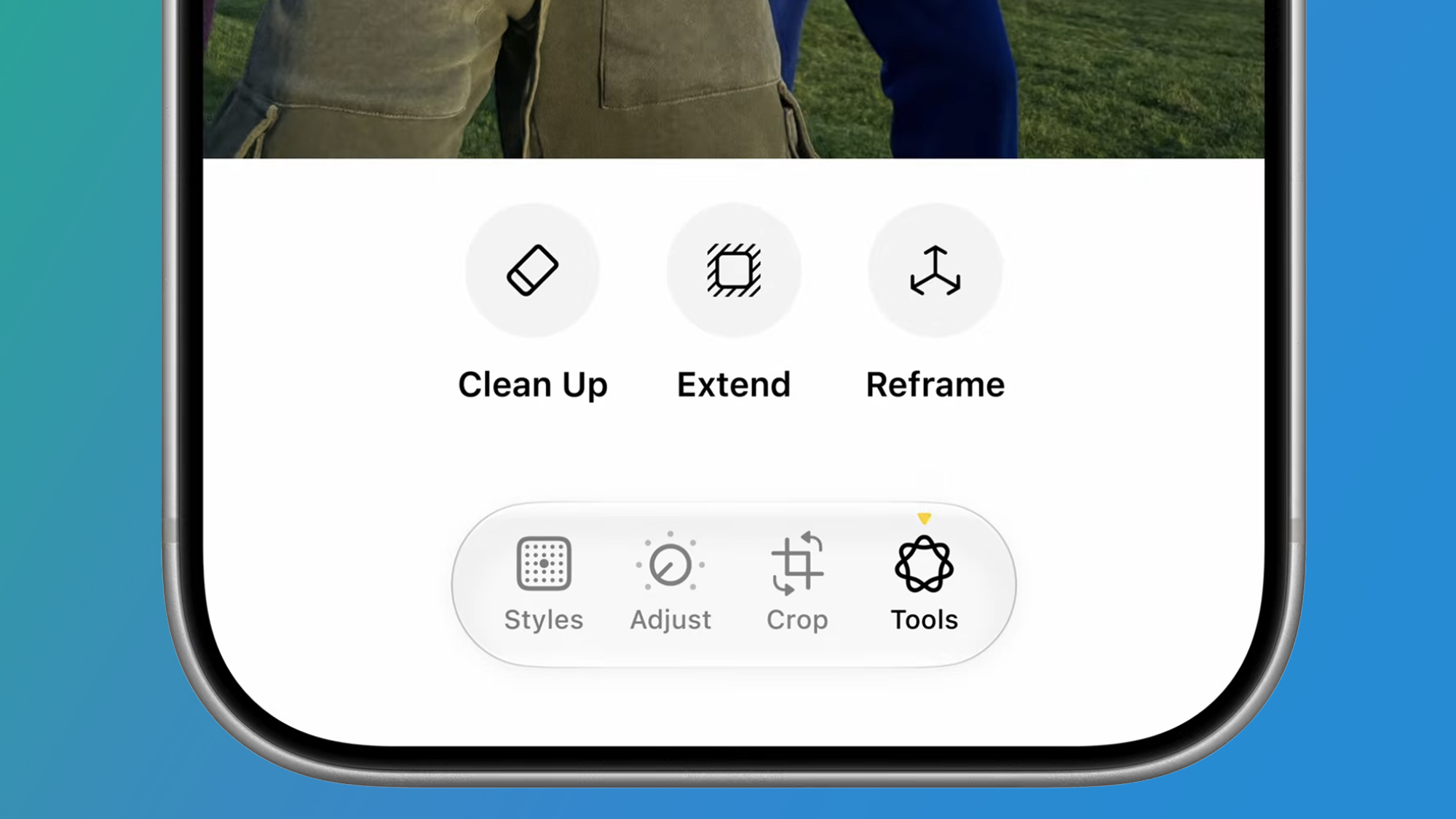
Apple Photos has been slowly catching up to Google’s photo editing tricks on Android – and iOS 27 will see it take another solid step forward with three features you’ll find in its ‘Tools’ section (above).
The first, Clean Up, already exists, but is apparently getting a “major upgrade” that will help you clear clutter in a more realistic way. As the name suggests, the ‘Expand’ tool also lets you expand your image in the same way as Photoshop, using generative AI to fill in the details.
Finally, there’s an even fancier tool called ‘Spatial Reframing’, which uses spatial models on the device to help you adjust perspective. It’s a bit like ‘Spatial Scenes’ from iOS 26, which lets you convert 2D photos to 3D, only you can save the perspective change in your photo.
In a little dig at Google, Alok Deshpande (Apple’s Director of Camera and Photos Software Engineering) said: “At Apple, we have a deep respect for the craft of photography, so our goal in bringing AI to the Photos app is to help photographers enhance their images in ways that respect the original moment”. Touché, Apple.
5. Speed improvements
If you’ve been frustrated by how sluggish iOS 26 feels on your iPhone, especially if you’re on an older model, then iOS 27 could improve things.
According to Apple, iOS 27 will feel much faster than its predecessor thanks to a number of bug fixes and performance improvements. It claims app launches will be up to 30% faster, AirDrop transfers will be 80% faster, and loading new snaps into Photos will be 70% faster.
These boosts, and others across Wi-Fi and cellular connections, will likely vary depending on which model you’re running (iOS 27 compatibility goes back to the iPhone SE (2020) and iPhone 11 series), but it’s promising news for those on older devices.
6. A screen time overhaul
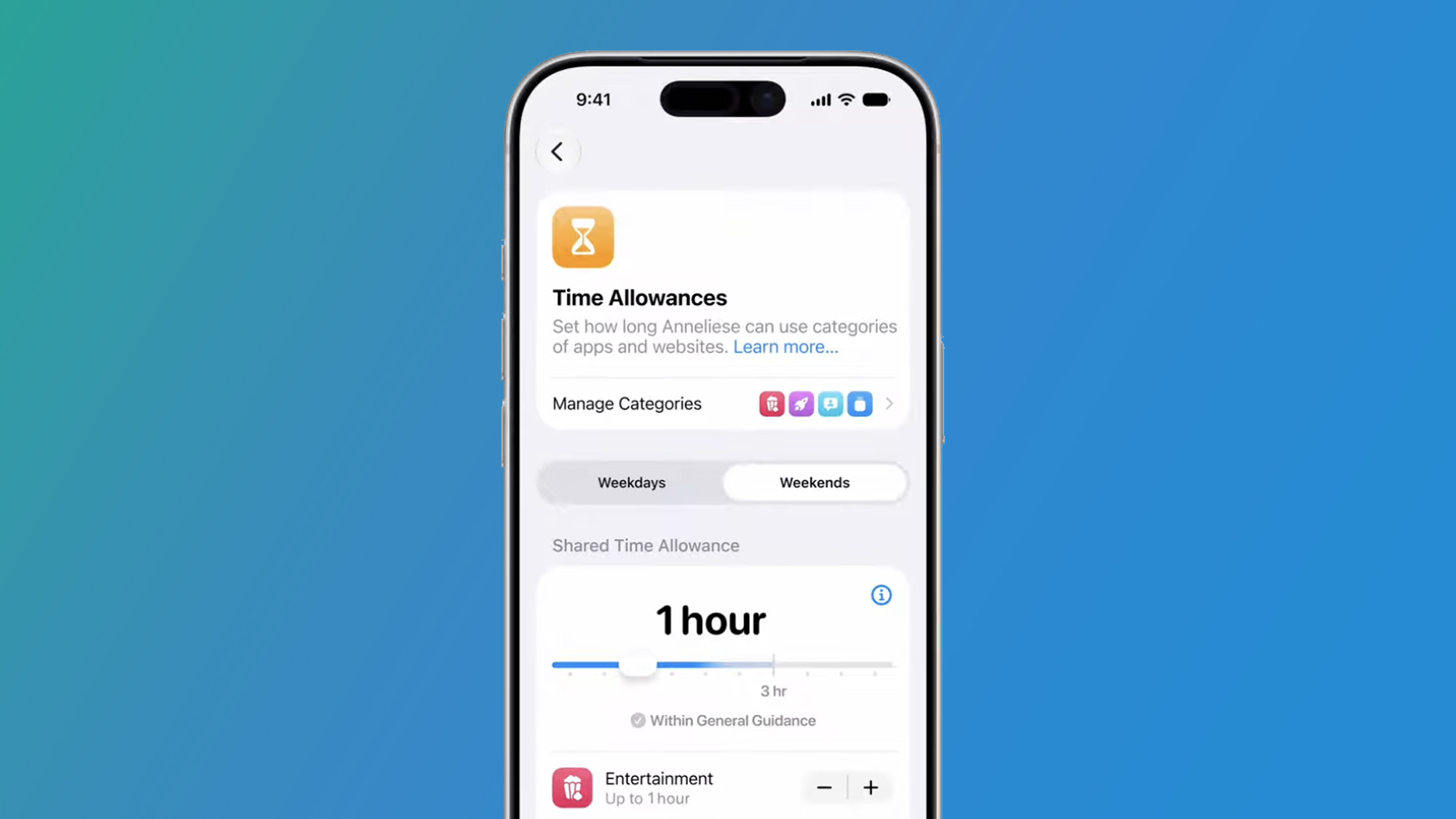
Apple’s built-in parental controls on the iPhone, called Screen Time, are still a work in progress, but thankfully they’re getting a big facelift in iOS 27.
In Safari, a new ‘Ask to Browse’ feature means kids have to ask their parents when they want to browse a new site. Stronger ‘Communication Safety’ features in Screen Time settings also blur content that may contain nudity, veils or violence.
Finally, ‘Time Allowance’ gives parents a suggested starting point for the maximum time their child can spend on certain apps or categories of apps like ‘Entertainment’ and ‘Games’ based on their age. There’s no doubt that Apple had an eye on EU and UK regulators with their new screen time boosts, but they certainly look useful for parents.
7. Shortcuts get an AI upgrade
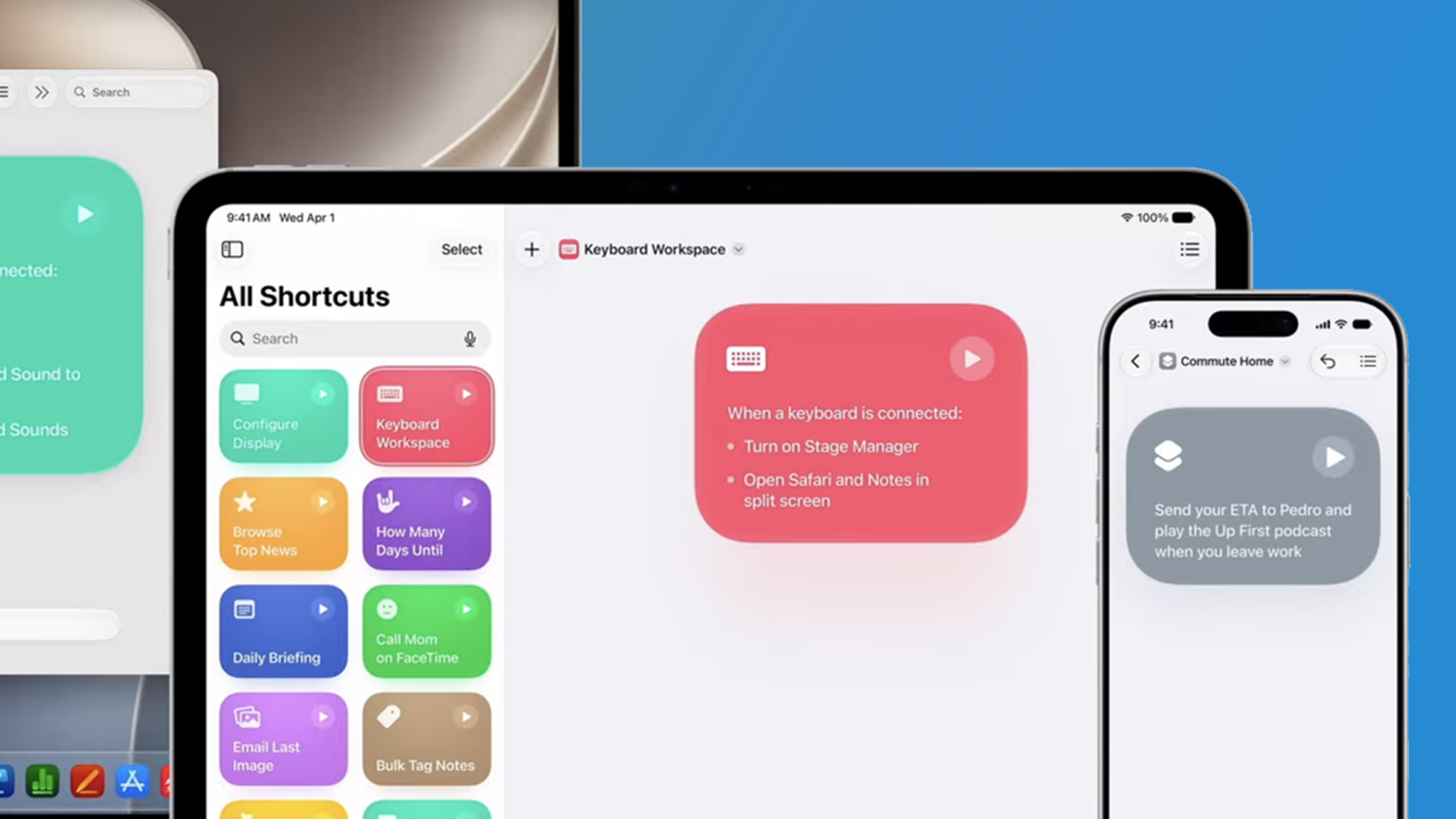
Shortcuts is one of those apps that is loved by a few, but is too confusing for truly mass adoption. Well, iOS 27 may finally change that thanks to a new Apple Intelligence upgrade that lets you describe the shortcut you want using natural language. We have decided to call this ‘vibe-cutting’.
Instead of manually adjusting all your inputs and variables, you can type something like “when I leave the work message Pedro, I’m on my way with my ETA” and the Shortcut app automatically gathers all the apps and system actions you need.
Even Apple admitted that the current shortcut system in iOS 26 “can feel, well, complicated”. So this promises to be a pretty big step forward – and is one we’ve been wanting to see for a while.

Follow TechRadar on Google News and add us as a preferred source to get our expert news, reviews and opinions in your feeds.


