
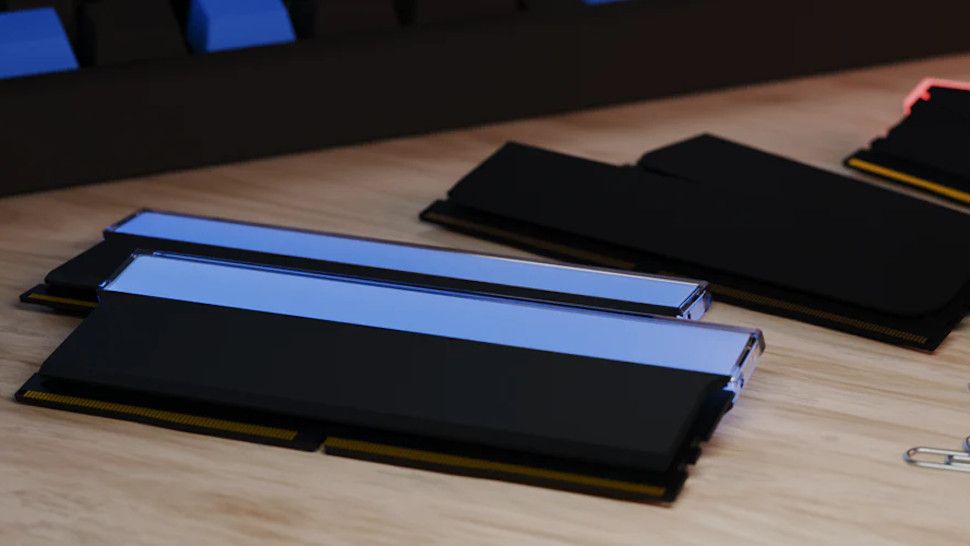
- Maingear has launched a BYO RAM scheme
- This allows buyers of pre-built PCs to supply their own system RAM
- Provided you have the RAM or can get a good deal on DDR5 memory, this could save you some money on a new PC – but with caveats
Maingear has unveiled a new scheme to give buyers of their pre-built PCs a possible solution to the increased costs of these computers due to RAM price increases – it’s called BYO RAM.
I guess technically it should be BYOR, but the principle is as you’d expect – you supply the system memory for the PC Maingear sells you.
The future scenario is as follows: of course, it is much more expensive to buy a PC with 16 GB (or 32 GB ideally) of modern system RAM now, with increases that mean the price of DDR5 memory has increased at an incredible pace.
So you choose a Maingear PC with no system RAM, and you send memory you already have – either already used memory from another PC, perhaps, or a RAM kit that you bought after getting a good deal online (or whatever fits one these days) – to the system builder. Maingear then uses that DDR5 RAM in the build, fully tests it as normal before supplying you with the machine (no charge for RAM, of course).
This service is available now and you can set up your BYO RAM build on Maingear’s website by choosing from a range of Maingear-based custom PC builds – just select the BYO option in the memory drop-down list. (Currently, dropping 32GB of DDR5 RAM saves you $300 on the price, so if you can score your memory for less than that, you’re onto a winner).
In its press release announcing the scheme, Maingear makes it clear that these custom PCs still go through “standard pre-shipment validation”, meaning the various testing processes to ensure the computer works fine.
Analysis: potential problems with BYOR
Can we expect more custom PC builders to offer similar solutions at sky-high RAM prices? It’s likely that I wouldn’t be surprised at all, but it’s a somewhat complicated way of working things, as you can imagine.
An obviously important question is whether the RAM is compatible with the motherboard and PC build, and Maingear provides a step-by-step explanation to ensure this is the case. It is also possible to submit multiple RAM kits if you have them and Maingear will choose the best option (and return the others to you with your newly built PC). If in doubt about anything, you can contact Maingear with questions and I would definitely advise you to do so if in doubt.
Maingear also clarifies that your “system warranty and lifetime support is unaffected” by supplying your own RAM, although any warranty for that memory is down to the original supplier (retailer or manufacturer).
Should your RAM fail during PC build testing, Maingear says, “We’ll let you know what we found and help you pursue a manufacturer warranty claim when appropriate, as well as provide additional internal RAM options.”
Although RAM that works fine when shipped out and gets damaged in transit can prove to be quite a tricky problem.
Still, it’s clearly good to have additional options for a pre-built PC, especially if RAM prices become even more inflated – which may well happen, as this memory price storm could intensify before calmer conditions prevail. That said, one of the more sensible options for now might be to wait all this out, assuming your current PC can last and isn’t in desperate need of replacement.
The best SSDs for all budgets
Follow TechRadar on Google News and add us as a preferred source to get our expert news, reviews and opinions in your feeds. Be sure to click the Follow button!
And of course you can too follow TechRadar on TikTok for news, reviews, video unboxings, and get regular updates from us on WhatsApp also.


