
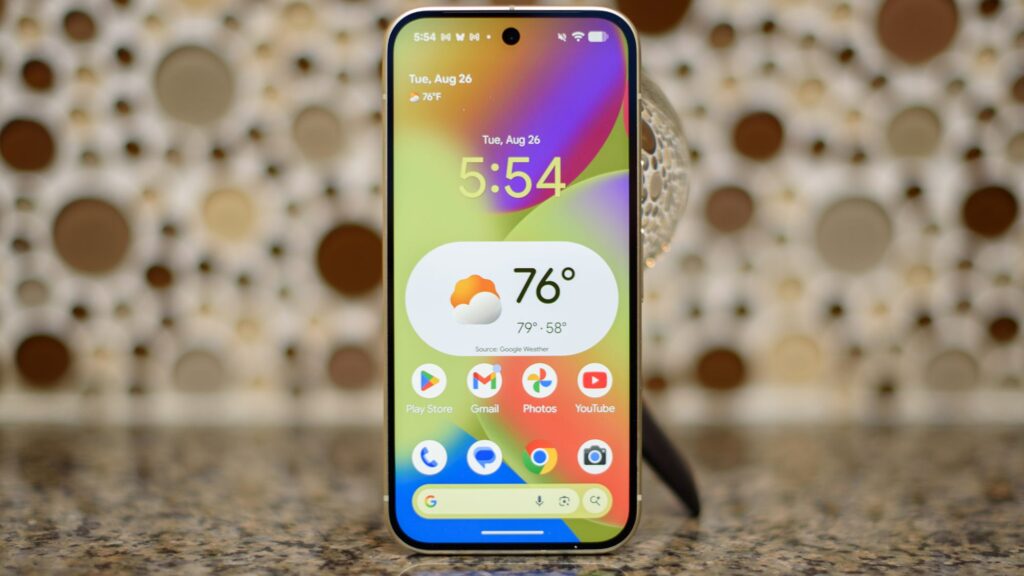
- Android 17’s first beta is out now
- It includes improvements for large screen devices and performance optimizations
- It also includes some interface changes and finally lets you remove the At a Glance widget
After a short delay, Android 17’s first beta has now arrived, and while it’s not as feature-packed as some Android releases, there are some changes here that could prove to be extremely significant.
Most of the biggest changes are things we already knew to expect, including Google preventing developers from opting out of orientation and changing size requirements for apps. This is a change that may frustrate some app developers, but it should ensure that apps look much better on large-screen devices like tablets and the best foldable phones.
The other big change here is one that isn’t visible, but should be noticeable as the company has been working to improve the performance of Android phones, including adding a new “generational garbage collection system” that should reduce the load on the CPU and decrease memory consumption.
Plus, as expected, this beta also includes smoother camera transitions with new pro-grade camera APIs aimed at preventing freezes and stuttering when switching between lenses.
Besides these expected changes, Android 17’s first beta also has some surprises, spotted by Android Central.
These include a sleeker design for the home screen’s search bar and the ability to replace the AI mode shortcut on it with other options, such as one for translations, one for weather, one for a dictionary, and several others, as you can see in the screenshots above.
Whichever shortcut you choose will now also sit inside the search box instead of next to it, though disappointingly you can only replace the AI Mode shortcut, not the voice search or Google Lens that sits next to it.
Another appreciated change is that you’re now finally able to remove the At a Glance widget, and there’s a tweak to the volume panel, where this now includes a settings icon at the bottom to quickly take you to the volume settings screen. And speaking of volume, it has now been standardized for a more consistent listening experience across apps.
That’s about it in terms of what’s been dug up so far, but it’s possible that other features or changes are hiding away in the beta stage – or that future betas will have more changes.
If you want to try out these new features for yourself, as long as you have a Google Pixel 6 or newer, you will be able to. Just go to the Android beta program website, sign in with your Google account, and select the Pixel device you want to install the beta on.
Then, on your phone, go to Settings > System > Software Updates and install the beta from there—though be aware that it may have more bugs than final Android versions.
Follow TechRadar on Google News and add us as a preferred source to get our expert news, reviews and opinions in your feeds. Be sure to click the Follow button!
And of course you can too follow TechRadar on TikTok for news, reviews, video unboxings, and get regular updates from us on WhatsApp also.


