
TechRadar AI Week 2025
This article is part of TechRadar’s AI Week 2025. We cover the basics of AI and show you how to get the most out of the likes of ChatGPT, Gemini or Claude, along with in-depth features, news and the main talking points in the world of AI.
ChatGPT Atlas has only been around for a few weeks, but it already feels like OpenAI’s chatbot-powered browser is growing fast. The first major update has landed on macOS, and it adds three really useful features that make Atlas feel less like an AI demo and more like something you can actually rely on every day.
I’ve been using Atlas since launch, and while it still has rough edges, this update is a noticeable step forward.
If you’ve been waiting for practical tools rather than headline-grabbing AI tricks to get started with ChatGPT Atlas, these three upgrades are worth knowing about.
1. iCloud keys come to Atlas
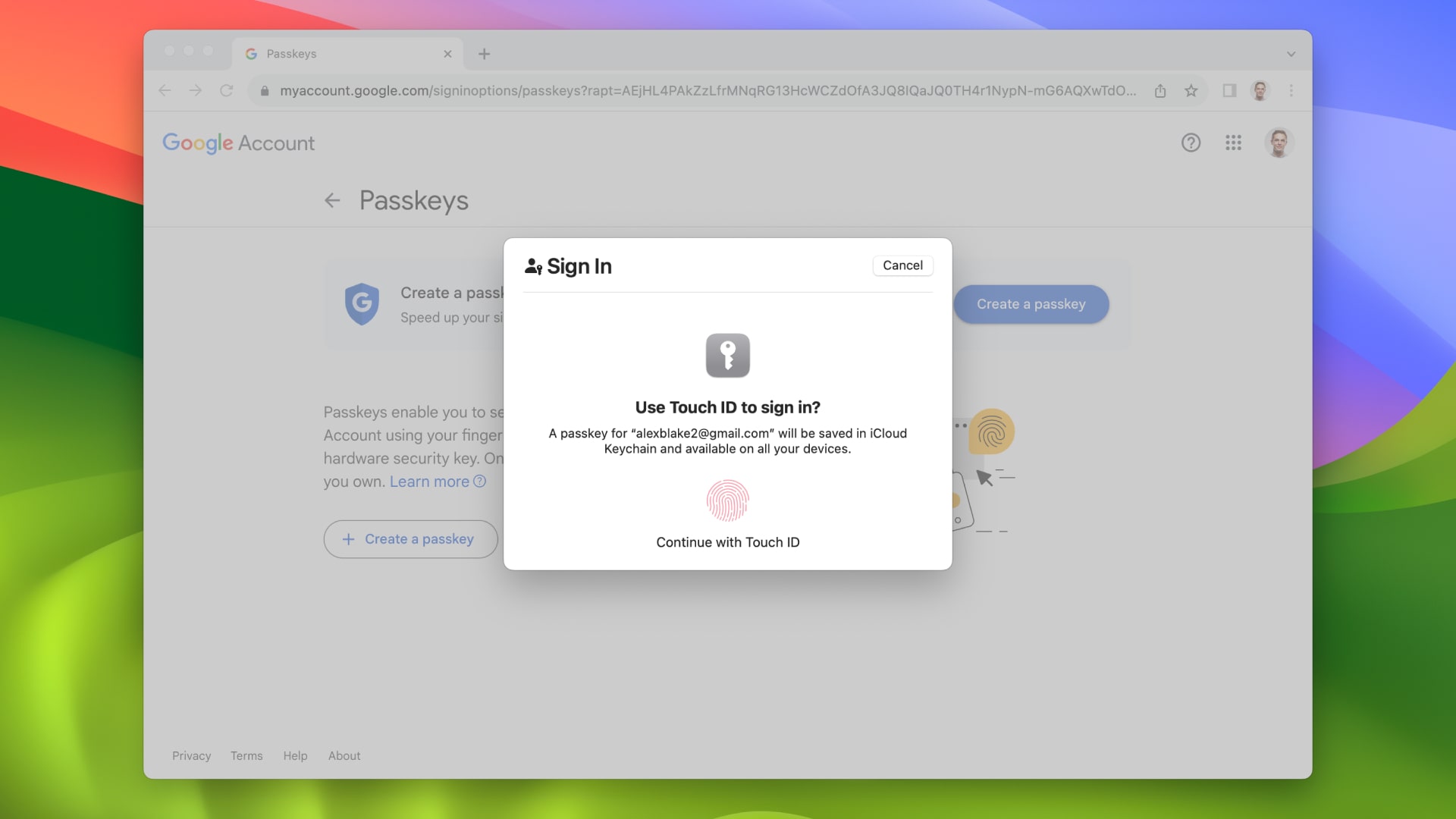
This matters because Atlas has always asked you to trust it with a large part of your digital life, and now being able to lean on Apple’s secure storage rather than a standalone password manager removes some of that hesitation.
2. Google can now be your default search engine
When I initially tried Atlas for 24 hours, I was disappointed not to be able to use Google by default, so this one change alone is a big upgrade to the ChatGPT browser.
With the ability to make Google your default search engine, it will help anyone who wants to try Atlas without relearning their entire workflow. Most people still start their browsing sessions in the search bar, so having Google there by default removes the friction.
3. Vertical tabs are here
New release of ChatGPT Atlas! Just press “update” on the top right. extensions import – icloud access keys – new downloads ui – option to use control + tab to cycle to last used tab – select multiple tabs at once (shift + click) – option to set… pic.twitter.com/jWoNPHcx7V19 November 2025
If you open as many tabs as I do when researching an article, horizontal tabs become a chaotic mess. Atlas now gives you a proper vertical layout, making it instantly easier to navigate the browser.
You also get improvements like multi-tab selection and proper Control plus Tab cycling, which means the whole tabbing experience feels more like Chrome or Edge. It’s a small change that makes a big impact, especially if you bounce between ChatGPT prompts, news sources, and draft documents all day.
Atlas has felt a bit barebones until now. Vertical tabs give it a super-user feel that it was missing.
Time to try Atlas?
ChatGPT Atlas is still in its infancy, and many of the issues I had with the browser at launch still hold true to this day. That said, the addition of iCloud keys takes a big step toward making me feel more comfortable trusting Atlas with my personal information, and while I’m still not sold on giving up all my browsing data to OpenAI, I like what I see here.
ChatGPT Atlas has only been around for a few months, and already it’s clear that OpenAI sees this product as a core way to interact with its AI models. Now all we need is a Windows app and the ability to use Atlas on smartphones. Please OpenAI, grant me my holiday wish.
And of course you can too follow TechRadar on TikTok for news, reviews, video unboxings, and get regular updates from us on WhatsApp also.

The best video cameras


