
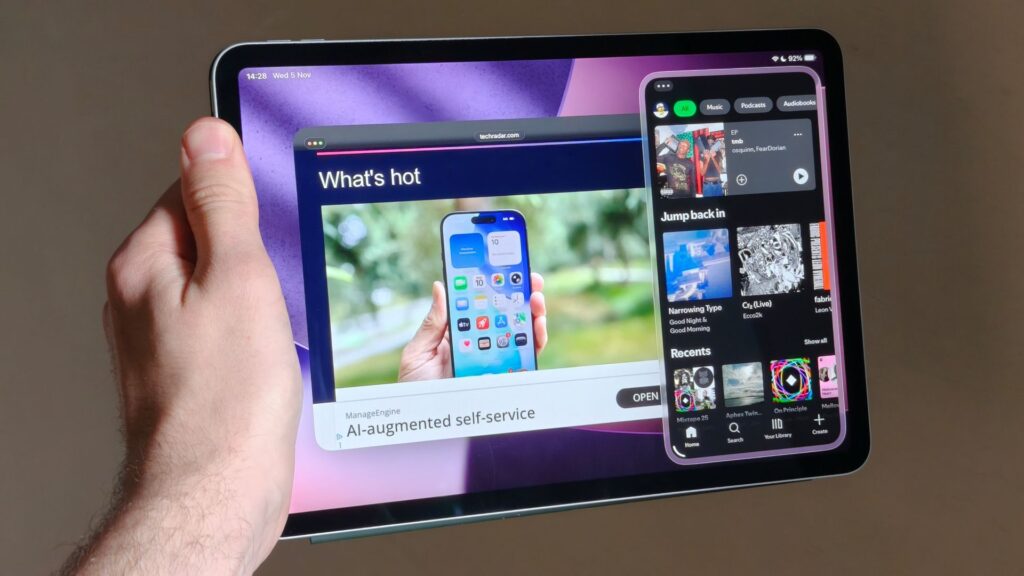
- Apple has released iPadOS 26.1
- The new update brings back Slide Over multitasking, which was removed with iPadOS 26
- Fan favorite Split View is still missing
Apple has released iPadOS 26.1, the first major update to iPadOS 26 that brings fixes and new features to the best iPads.
Many of the new features, like a tinted mode for Liquid Glass and new gestures in Apple Music, are shared between iPadOS 26.1 and iOS 26.1, which launched simultaneously, but there’s one key feature that’s exclusive to Apple’s tablet program.
Specifically for iPad users, the update brings back features of a much-loved iPadOS 18 feature that gives touchscreen-focused users back some of the multitasking power they lost with iPadOS 26.
iPadOS 26.1 brings Slide Over back to iPad, giving touchscreen users some extra multitasking power. The feature allows users to quickly access an app in a floating window on the edge of the screen that can be pushed away from the screen when not needed.
Picture 1 of 2
Slide Over was a fixed iPadOS feature for years until the release of iPadOS 26, when it was quietly removed. Of course, iPadOS 26 also brought massively expanded multitasking capabilities with new free-floating windows and background processing. But for some users, this seems to have shifted the priority to keyboard users, inspiring plenty of annoyed Reddit threads.
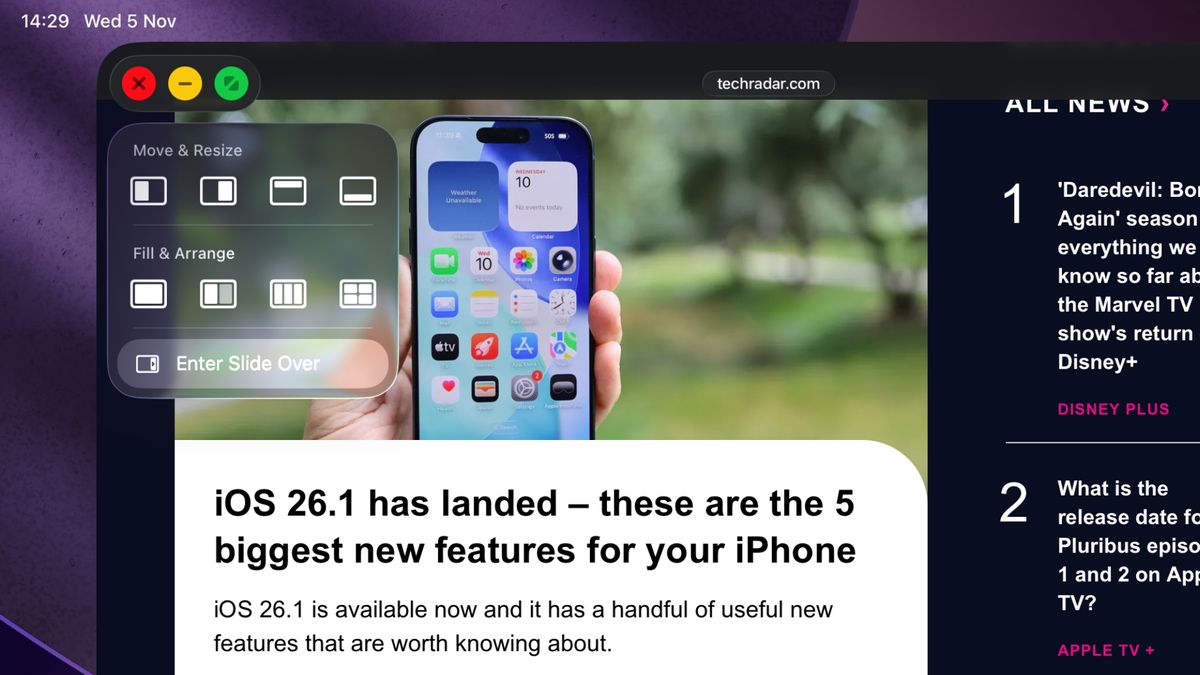
Fortunately, Slide Over is back in iPadOS 26.1, and thanks to a new resizable window, it can be considered more powerful than ever. As MacRumors reports, you can now access Slide Over by tapping the green full-screen button on the app window and pressing “Enter Slide Over.”
It will certainly feel like a victory for touchscreen users who felt left behind by iPadOS 26 – but there’s still more Apple can do to cater to its hands-on audience.
Split View is still missing
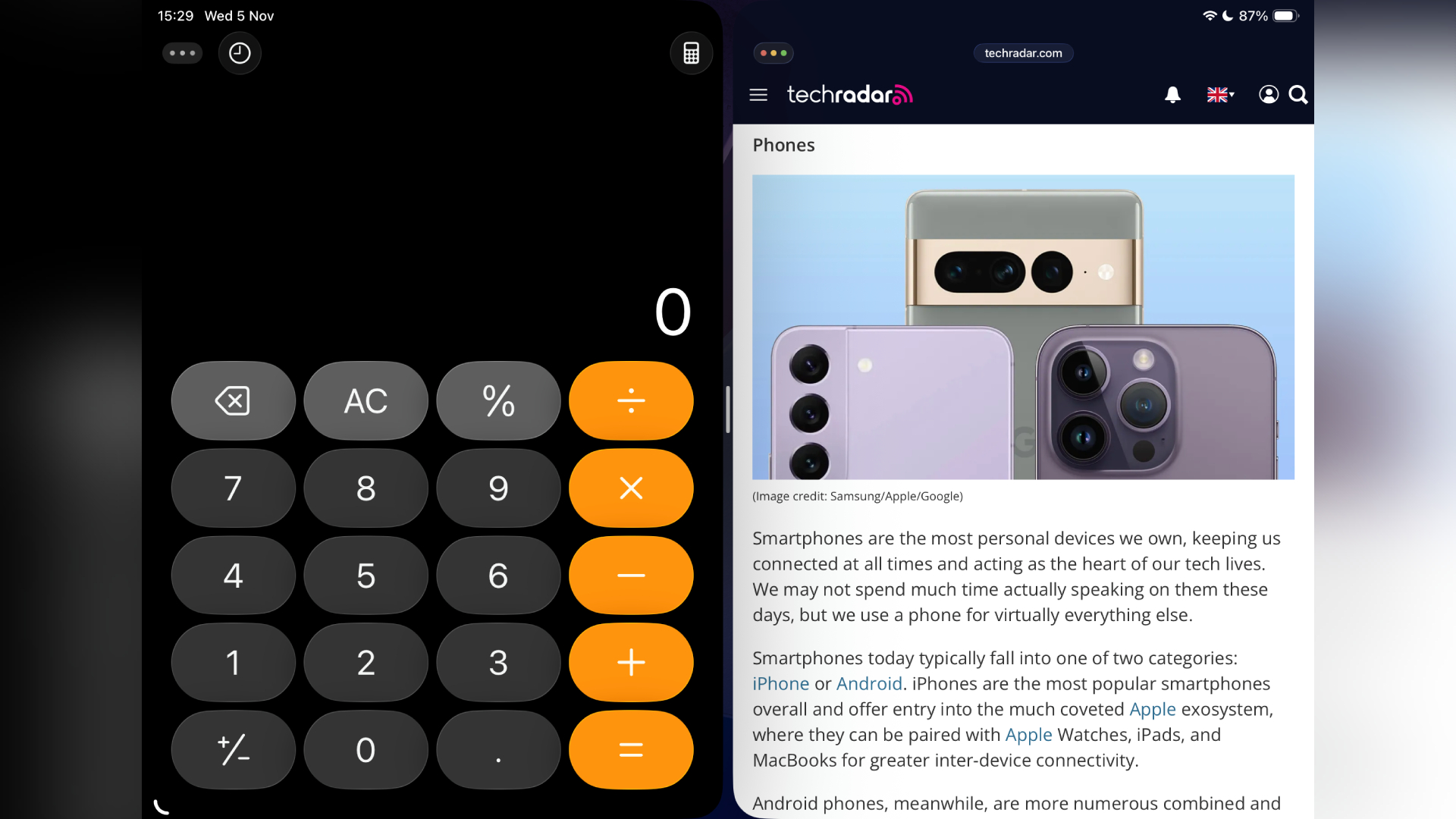
Apple didn’t just remove Slide Over with iPadOS 26 — it also removed Split View, which through iPadOS 18 allowed users to quickly and easily open two apps side-by-side, with a slider in the center of the screen that controls the size of each app.
And while Slide Over is back with iPadOS 26.1, filling the screen with two apps is still more boring than before.
You can still do that, but now you have to work with the new windowing system, dragging apps around and holding down the full-screen button to access different app layouts.
As someone who uses their iPad with a keyboard and alone in about equal measure, I’ve missed Split View since the launch of iPadOS 26 – as much as I love the new windowed multitasking, I think Apple needs to keep a good range of features available for people who want to use their tablet’s touchscreen to get things done.
Will you be using Slide Over in iPadOS 26.1 or are you waiting for Split View to return? Let us know in the comments below.
Follow TechRadar on Google News and add us as a preferred source to get our expert news, reviews and opinions in your feeds. Be sure to click the Follow button!
And of course you can too follow TechRadar on TikTok for news, reviews, video unboxings, and get regular updates from us on WhatsApp also.


