
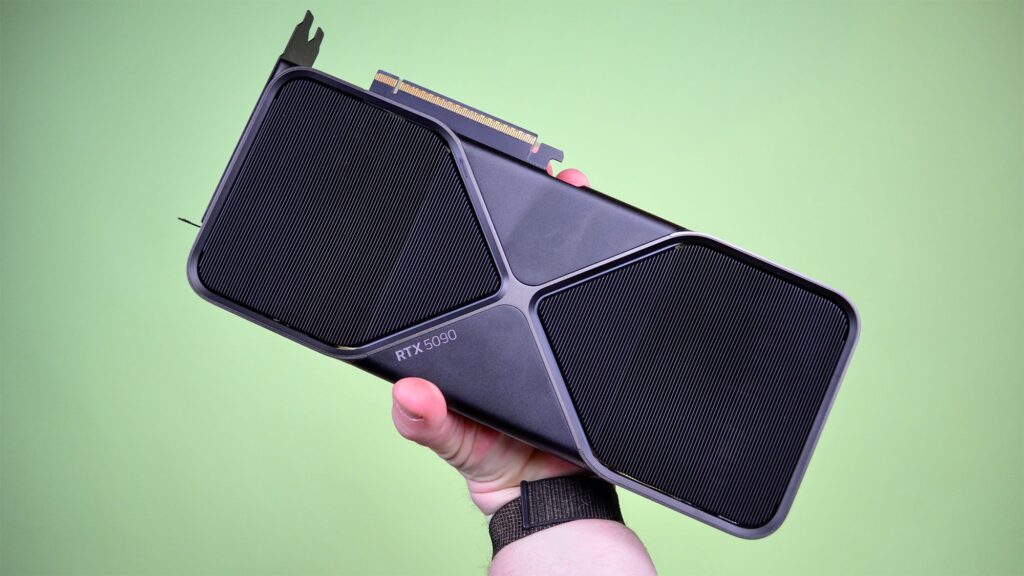
- Windows 11’s October Update may have introduced a nasty game bug
- It affects Nvidia GPUs and Team Green rushed out a hotfix last week
- However, we didn’t realize how bad the bug was, and testing shows that the framerate can be huge – in Assassin’s Creed Shadows, it drops performance by 33% to 50%
Nvidia issued an emergency fix last week for an issue potentially caused by Windows 11’s October Update, and now we’ve got some tests to highlight what a huge framerate headache this bug was with some games.
Definitely a game in particular. Digital Foundry did some tests with it Assassin’s Creed Shadowswhich was highlighted by a lot of Windows 11 gamers who complained that Microsoft’s October patch (KB5066835) severely slowed frame rates.
And those reports weren’t exaggerating, judging by Digital Foundry’s benchmarking, which found that frame rates in the Assassin’s Creed Shadows was slowed by at least 33% and up to 50% or more in the worst cases.
This was on a gaming PC with a Ryzen 7 9800X3D processor coupled with an Nvidia RTX 5090 graphics card. Screenshot evidence is provided by a case where this mighty GPU was reduced to 34 frames per second (4K DLSS quality) with the patch applied and it was running at 72 fps without chains from the October update.
Nvidia neglected to say which games were affected and required the emergency hotfix to save them, but it’s clear enough that Shadows was one of them. Digital Foundry finds this Counter-Strike 2 seems to be another title that takes a hit in terms of stuttering frame rates.
Analysis: a mysteriously vague and rather ugly bug
This is really a strange affair, and it hasn’t helped that Nvidia has been vague when talking about this bug, just saying that it hampers game performance with some titles, without mentioning which games, or indeed what kind of performance issues are caused.
It’s really eye-opening to see tests like this reveal that the performance hit is so big, at least for Assassin’s Creed Shadows – this is a bug that can literally bring the RTX 5090 to its knees, as we see clearly illustrated. Good luck with a smaller Nvidia GPU.
At least there is a workaround, although you have to find and install it manually (on the Nvidia website) – and keep in mind that it’s a beta. However, the fully tested and finished solution will be implemented with Nvidia’s next driver release.
If you’re not willing to get your hands on a beta release – and I’ll understand why, as this is software that’s not guaranteed to throw more screws in the works – a suggested fudge solution is to disable the resizing feature (in the BIOS). This doesn’t completely mitigate the slowdown caused by the October update, but from reports on Reddit, it minimizes any drop in frame rate.
The real question is: what caused this problem? Nvidia is indirectly implying that it’s Microsoft’s fault by stating that the problem occurs “after updating to Windows 11 October 2025 KB5066835” – although that’s not an explicit accusation. That doesn’t rule out a problem in Team Green’s drivers that was somehow exposed by the changes Microsoft made in its update (AMD or Intel GPUs aren’t affected after all).
We simply don’t know the cause, and all in all, this is a less than ideal state of affairs. It is possible that deeper investigations still need to be conducted into either Microsoft or Nvidia, or indeed both companies. Anyway, I’ve reached out to Microsoft to see if the company can shed any light on why this happened, and I’ll update this article if I hear back.
The best graphics cards for all budgets
Follow TechRadar on Google News and add us as a preferred source to get our expert news, reviews and opinions in your feeds. Be sure to click the Follow button!
And of course you can too follow TechRadar on TikTok for news, reviews, video unboxings, and get regular updates from us on WhatsApp also.


