
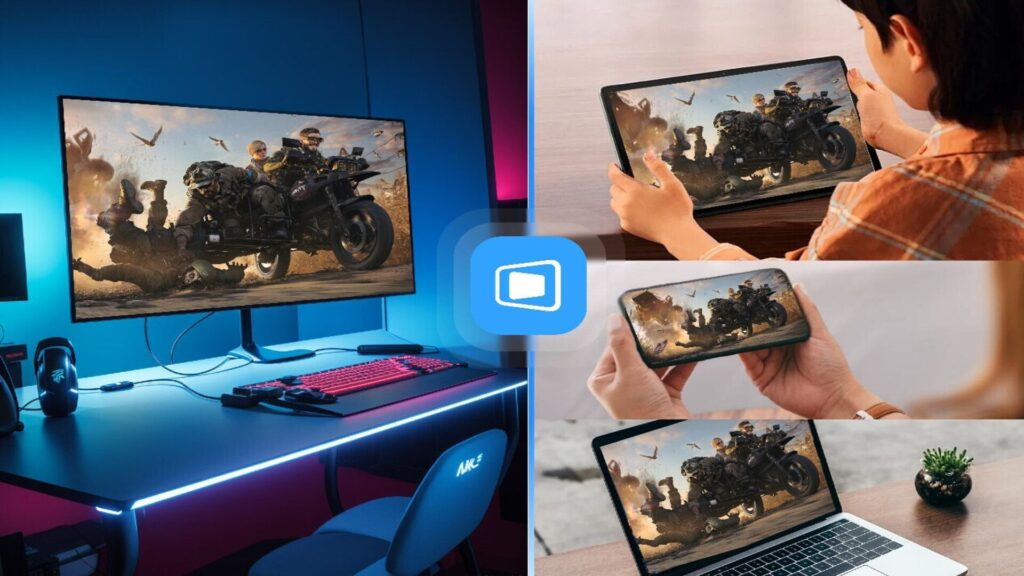
- DeskIn supports remote connections across Windows, macOS, Android and iOS platforms
- Multiple devices can join a session using extension or mirroring modes
- Tablets and smartphones act as extended screens rather than passive viewers
DeskIn has revealed that its remote desktop software extends beyond traditional workplace use to gaming and streaming scenarios.
Designed by Singapore-based Zuler Technology PTE. LTD, the product allows access to games across devices while maintaining the visual quality and input response.
The software supports Windows, macOS, Android and iOS, enabling remote connections between desktop systems and mobile hardware.
Managing multiple displays across connected devices
DeskIn includes multiple display modes that allow multiple devices to participate in a single session.
Secondary devices such as tablets or smartphones can act as extended displays rather than passive viewers.
Screen mirroring supports one-to-one and one-to-many output, enabling split viewing during gameplay or demonstrations.
Mobile projection allows games running on handheld devices to be displayed on larger computer screens for monitoring or streaming purposes.
These display functions are similar to workflows commonly associated with office software environments where screens are divided between active tasks and reference content.
DeskIn uses similar structures for games, chat windows, streaming dashboards, and development tools.
This system treats displays as modular endpoints instead of fixed primary displays.
The software also provides integrated file transfer and synchronization tools intended for cross-device workflows.
Screenshots, recordings, configuration files and saved game data can be moved between connected systems without external services.
Larger files, such as game mods and high-resolution assets, are supported through batch transfers.
Sync allows progress and settings to remain consistent across devices.
These features overlap with features typically found in traditional remote desktop tools and cloud storage platforms.
Their performance depends on available bandwidth, device storage and connection stability rather than local computing power.
DeskIn further supports customizable input mapping across keyboards, mice, controllers and touch interfaces, and users can create virtual key combinations to perform complex actions in supported applications.
Display modes and controller profiles can be activated through preset configurations instead of manual adjustment.
The software supports automatic activation of certain control modes based on detected application behavior, which is more suited to enterprise productivity tools than consumer gaming tools.
It emphasizes repeatable setups and consistency across devices rather than per-device customization. session.
The software incorporates layered security measures covering authentication, session authentication and permission control, with encryption tools that protect remote connections and access can be limited to specific inputs or system resources.
Privacy features include temporary screen saver and automatic locking when sessions end. Enterprise editions add policy-based controls to managed environments.
Although DeskIn is marketed as a gaming software, its features also support professional remote access and collaborative workflows.
DeskIn is offered through a subscription model with plans starting at $8.12 per month for annual subscriptions for a limited promotional period.
The promotion is valid until January 15, 2026 and users can apply the code “desk2026” to receive the specified discount.
This price applies to the Gaming Edition and covers cross-platform connectivity, multi-screen capabilities and file sync.
Via TechPowerUp
Follow TechRadar on Google News and add us as a preferred source to get our expert news, reviews and opinions in your feeds. Be sure to click the Follow button!
And of course you can too follow TechRadar on TikTok for news, reviews, video unboxings, and get regular updates from us on WhatsApp also.


