
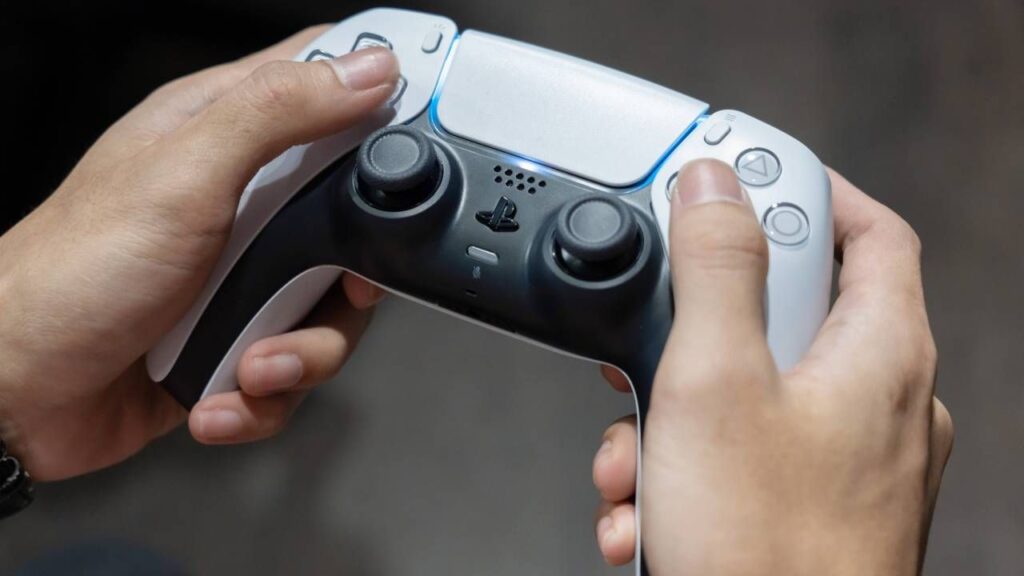
- A modder has come up with a way to use a DualSense controller wirelessly on PC without losing haptics and the adaptive triggers
- It uses a Raspberry Pi Pico 2 W as a bridge between the controller and the PC
- This solution does not seem to have any noticeable additional latency, at least for non-competitive games
If you’re using a PS5 DualSense controller for gaming on your PC, you might be frustrated that to get full functionality you need to have it connected via cable rather than wireless – but that’s not true anymore, thanks to this clever use of a Raspberry Pi.
Tom’s Hardware reports that a new creation built with an inexpensive Raspberry Pi Pico 2 W (the wireless variant of the Pico 2) acts as a bridge between the PC and the controller. This allows the DualSense to connect via Bluetooth and work just like on the PS5 with haptic feedback, the smart adaptive triggers and other goodies.
In case you didn’t realize, these features work fine on the PC when you connect the cable, but they don’t if you connect to the PC (directly) using Bluetooth. This is because the Windows implementation of Bluetooth does not have the full bandwidth required by DualSense for all of its functions to be transmitted wirelessly.
The article continues below
The project, called ‘DS5Dongle’, was highlighted on Reddit and is the creation of a developer named ‘awalol’ on GitHub.
How does it work? Essentially, the Raspberry Pi Pico 2 W is connected to the PC and acts as a bridge, meaning the PS5 controller connects to it (instead of the computer) – with the Pi then presenting itself to Windows 11 as a wired DualSense.
It’s a smart solution, and you can buy the supplies needed to create your own DS5Dongle for less than $20 in the US (or roughly the equivalent in your area). All you need is a Pi Pico 2 W and a microUSB cable, and of course the file for the project from GitHub.
Analysis: a nice solution and latency doesn’t spoil the wireless gaming fun
This lack has been the annoyance of many PC gamers who want to use their PS5 DualSense with games better suited to a controller than a mouse and keyboard. It’s not ideal to be limited to connecting your DualSense, as wireless naturally offers a lot more freedom.
Once you’ve made your own Pi dongle, all you have to do is the first handshake with the controller, and your DualSense will automatically connect to the PC every time you turn on the controller (assuming you leave the dongle on, of course).
Are there any downsides? The obvious concern is that this is an extra step between the PC and the controller, so it might introduce some input latency, which is a point some Redditors have raised in the thread above.
However, according to the original poster, it’s not a problem. They noted: “I can only say about my experience, which is that I didn’t feel any difference compared to the cable. But I only play single player games.”
It might not be an ideal solution for competitive gaming, but this is certainly one of the smarter DIY technologies I’ve seen for PC gamers this year. There are some possible quirks with the current implementation of the DS5Dongle, as noted on GitHub, including the sound of the controller being potentially choppy. The project is still ongoing.
The best graphics cards for all budgets
Follow TechRadar on Google News and add us as a preferred source to get our expert news, reviews and opinions in your feeds. Be sure to click the Follow button!
And of course you can also follow TechRadar on YouTube and TikTok for news, reviews, video unboxings, and get regular updates from us on WhatsApp also.


