
- WhatsApp username reservations are now open for some
- Check inside the app for your reservation invitation
- You can link your new handle to Facebook and Instagram
The great WhatsApp username revolution has begun – and while usernames won’t fully take over until later this year, Meta is letting people reserve their handles from now on. Open WhatsApp on your phone and you will see an alert above the conversation list inviting you to reserve your name.
Earlier today I got the alert on my phone (maybe because I’m such an enthusiastic WhatsApp user). If you miss tapping the notification before it disappears, go to Settings: on Android, it’s the three dots (top right) and then Settings; on iOS, tap the Du icon (bottom right) to access the same menu.
Select from Settings Account > Username > Create Username to start selecting your WhatsApp handle. It’s worth remembering that you’re up against three billion other users here, so your first choice might be gone – in which case WhatsApp will ask you to choose something else until you land on something unique.

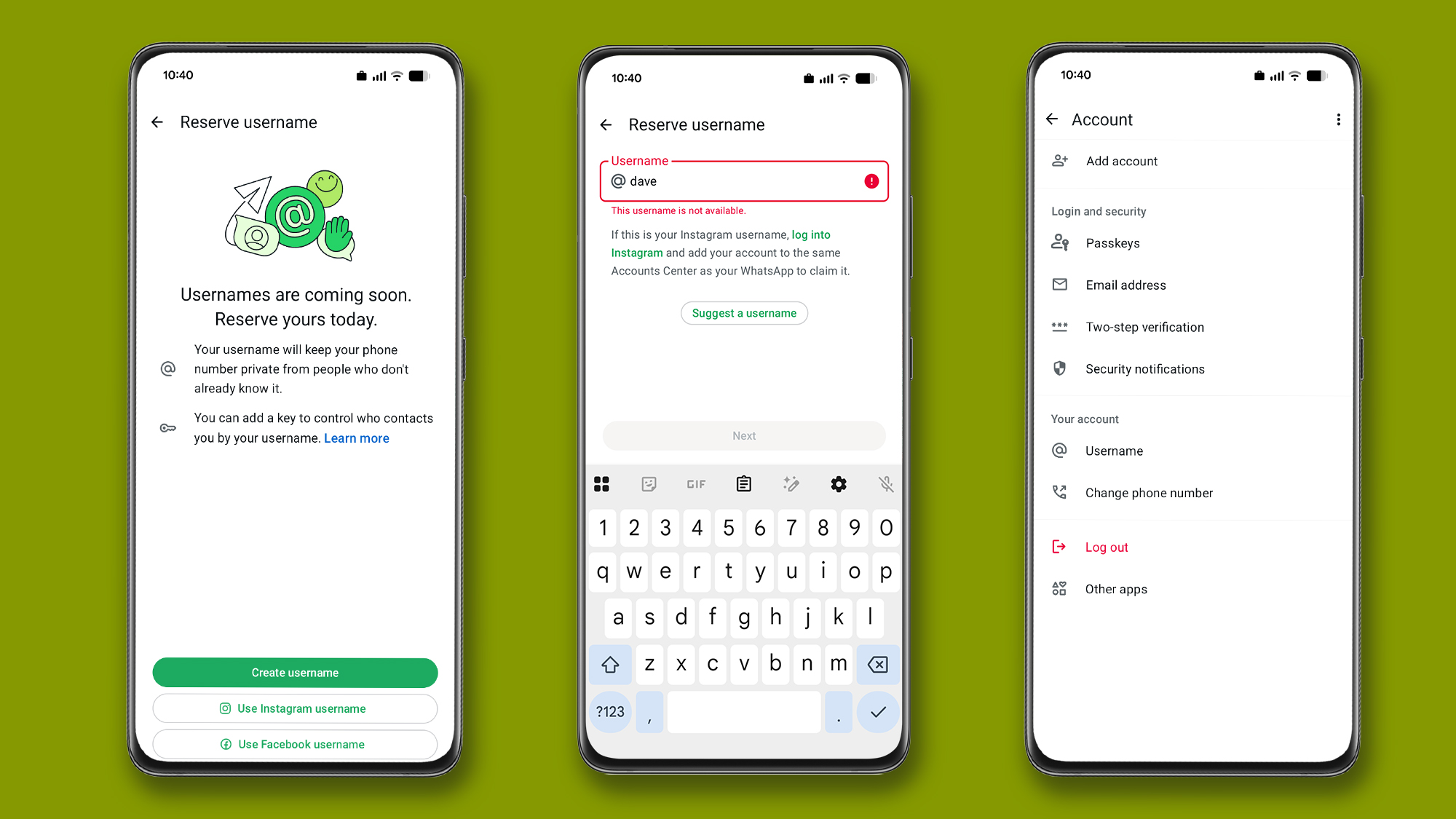
You may need to implement some numbers or special characters to get a username that hasn’t already been taken – the same tricks you may well have used to get the hang of other platforms (for example, using underscores and periods). There is also one Suggest username option here you can use if you are stuck and WhatsApp will come up with a few ideas for you.
You can also link an existing username from Instagram or Facebook, which is useful if you’ve created a small business or page hunt on these platforms and want to be consistent across each app. Just follow Use Instagram username or Use Facebook username links when you see them.
What you need to know
There are a few things to keep in mind when reserving your username. First, this won’t hide your phone number from people who already have it on WhatsApp — it only applies to new contacts you add after the username feature goes live, and it looks like that won’t happen for a few more months.
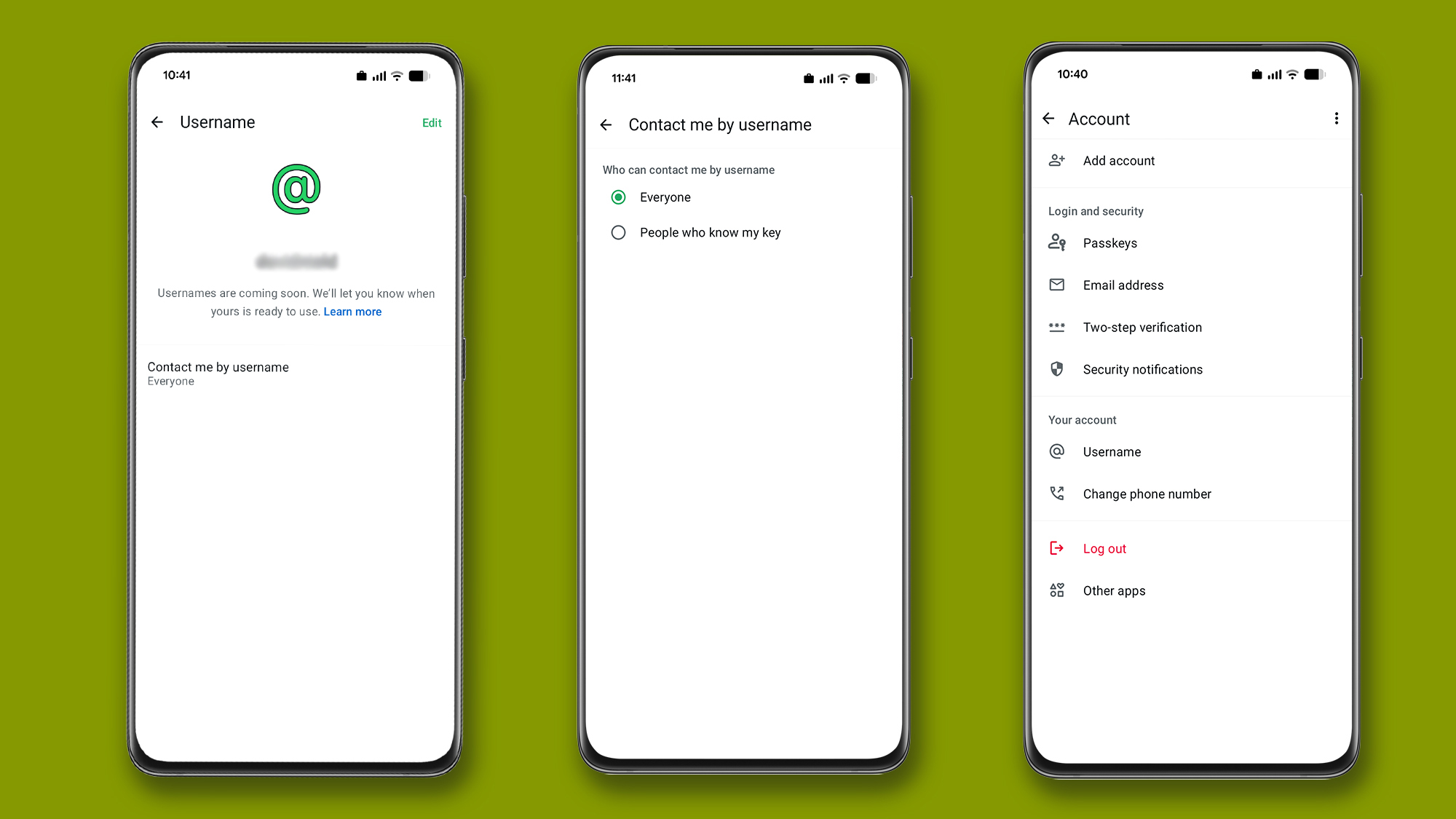
Second, if you think someone might guess or otherwise stumble across your username, you can add an extra layer of protection. From Account > Usernamepressure Contact me via username and you can generate a key code — a potential new contact will then need to know both this key and your username in order to connect to you.
If you’ve had a change of heart (or identity), you can still change your username before the feature goes live: open up Account > Username then press Edit to choose something else. At the moment, it’s not clear how username changes will be handled when the feature goes live later this year.
Fourth, you’ll be wasting your time trying to book someone like @zendaya or @edsheeran. WhatsApp says it has fenced off usernames that relate to celebrities, politicians and other VIPs, so you won’t be able to use this as an opportunity to impersonate someone famous.
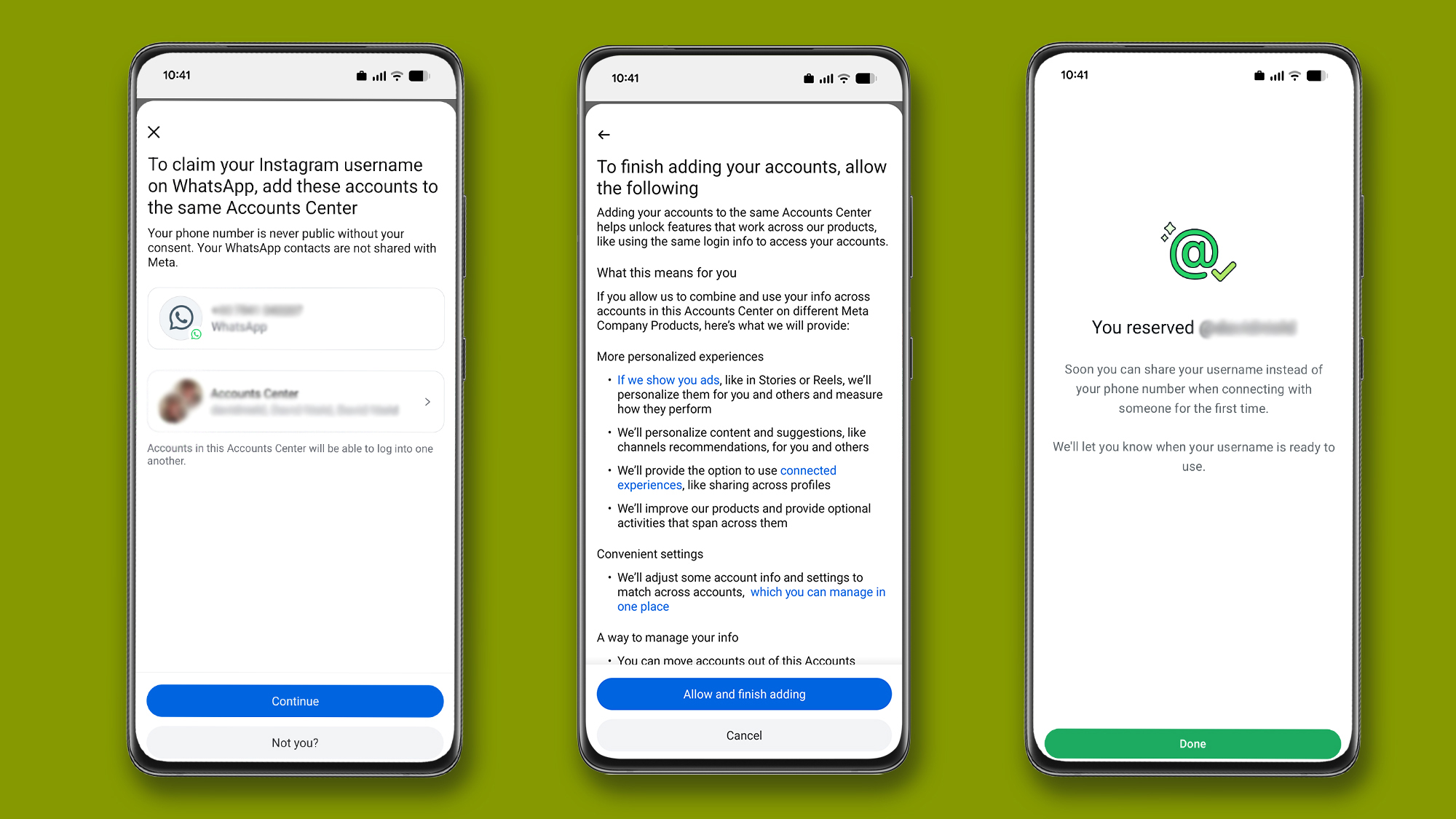
Finally, if you register the same handle you have on Facebook or Instagram, Meta will ask you to connect your accounts. This makes them a little easier to manage together, but it also gives Meta more information about you, your devices and your activities – which can be used for targeted ads in the future.

Follow TechRadar on Google News and add us as a preferred source to get our expert news, reviews and opinions in your feeds.


