- Samsung Messages has been killed to make way for Google Messages
- Right now it only affects US users, but a wider shutdown is likely to happen
- We recommend making Google Messages your default SMS service
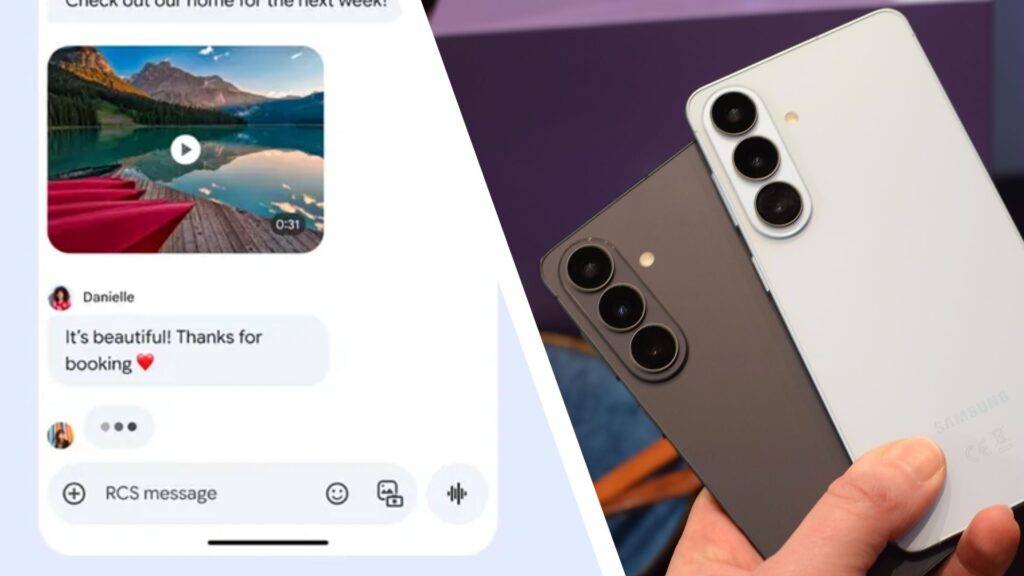
After months of waiting, the dreaded day has arrived for Android users: Samsung Messages has finally been shut down forever as of July 6th.
The Korean tech company announced its decision to ditch its messaging service for Galaxy phones and tablets in April, with Google Messages taking over as the new default communications platform for devices released in 2022 and beyond.
Samsung stopped installing its flagship messaging platform on devices in 2024, so if you’re using the Galaxy S26 Ultra, for example, Google Messages will already be installed.

So what happens now?
Currently, the death of Samsung Messages only affects users in the US, according to the latest reports. According to SamMobile, it may still work outside the US on devices that had the app pre-installed, but it’s likely that a wider shutdown will follow suit in other countries later – it’s been removed from the Galaxy Store and Google Play Store, and UK users on Reddit are reporting that it’s being replaced by Google Messages.
That said, if your device is running Android 11 or lower, the shutdown won’t affect you, according to Forbes. However, the business notes that those on a newer version should switch to Google Messages.
Samsung Messages’ shutdown has been a long process, and while users have anticipated the move for some time, that doesn’t mean they’re ready to say goodbye to the app just yet.
Across the board of reactions on Reddit, the general consensus is that Samsung Messages will be missed. “If I wanted to use Google’s POS services, I would have bought a Pixel,” explains one user, but from Samsung’s perspective, it’s about giving users a messaging experience enriched with practical features.
The company says the switch to Google Messages will help bring features to Samsung Galaxy devices to align with modern messaging tools used in third-party apps like WhatsApp. This includes end-to-end encryption, AI tools, and RCS messages that Google Messages now allows to be sent between iOS and Android devices.
Still haven’t switched to Google Messages? We’d recommend doing this sooner rather than later, and it’s a fairly straightforward process.
After uninstalling Samsung Messages and downloading the Google Messages app, launch it and a pop-up window that says “Set default SMS app” will appear on your device. Tap this, select Google Messages from the settings, then tap ‘Set as Default’. You can add Google Messages to your home screen by pressing and holding the app and selecting “Add to Home”.
Follow TechRadar on Google News and add us as a preferred source to get our expert news, reviews and opinions in your feeds. Be sure to click the Follow button!