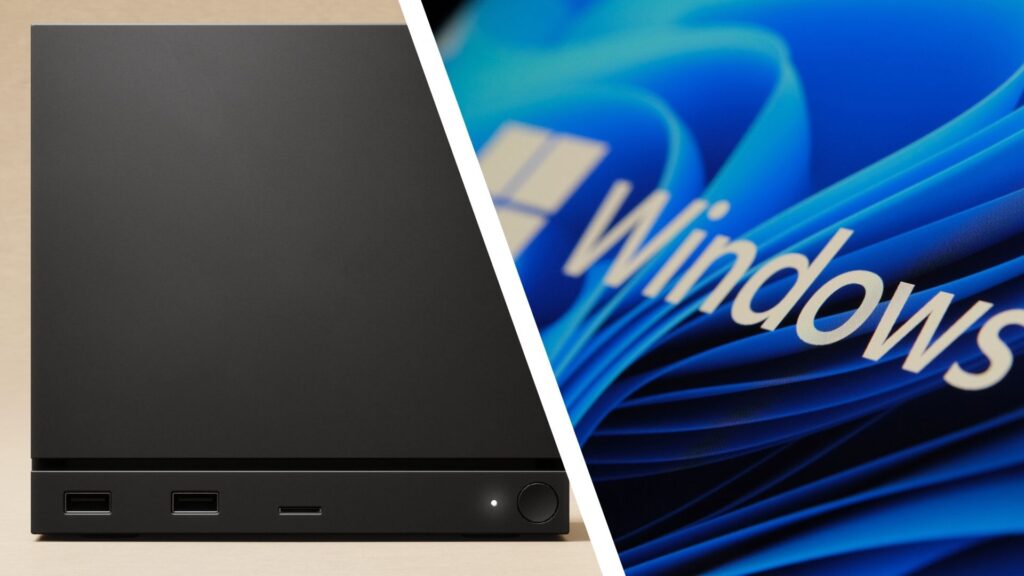
- Valve releases Windows 11 drivers for Steam Machine
- This means you can install Windows 11 on the console-like PC
- You probably shouldn’t
Valve has released official Windows drivers, which should mean that anyone looking to install Windows 11 on their Steam Machine compact PC will be able to do so.
But I, and many other PC gamers, have wondered why you’d want to do that – and it’s not just because of a general dislike of Microsoft’s operating system.
Of course, Windows 11 has its issues, with a worrying increase in bugs and performance-harming issues. It’s also bloated and loaded with AI features that few people, especially gamers, seem to want.
So it’s a confusing choice to install it on a device designed to run a lighter Linux operating system. Much has been made of Valve’s decisions (some of them made due to the global memory shortage and high component prices) to equip the Steam Machine with rather underpowered hardware. There’s no dedicated GPU, just an integrated one that uses older AMD technology and 16GB of DDR5 single-channel RAM.

Those are pretty bad specs for a gaming PC, and while some of this is out of Valve’s control, at least SteamOS, the Linux-based operating system that the Steam Machine runs on by default, is much more lightweight than Windows 11, and it’s streamlined to prioritize launching and playing games. This means it can offer better performance
Windows 11, on the other hand, is a much larger, and some would say rather bloated, operating system that runs on a variety of hardware where people use it for different things, not just for playing games. This means that performance is often worse, even if the same low-energy components are used.
So putting Windows 11 on a Steam machine means you’re likely to get worse performance, and Windows 11’s interface isn’t designed to be used on a TV with a controller, unlike SteamOS’s Big Picture Mode interface. You can of course use Steam Big Picture Mode in Windows 11, and Microsoft has been working on a similar console-like interface with its Xbox mode, but it’s not perfect.
Why would you do this?
So why would anyone in their right mind install Windows 11 on a Steam machine, especially since it seems like Valve hasn’t implemented dual-booting (so you can choose between Windows 11 and SteamOS when you turn on the machine, hopefully that will come later)?
Well, while SteamOS is designed for console-like simplicity, Windows 11 will be more user-friendly for many regular users (if you’ve ever had to troubleshoot a problem with Linux, you know it’s not for the faint of heart). If you plan to use the Steam machine as a standard PC (which Valve says you can do), then installing Windows 11 makes a bit of sense. Sort of.
SteamOS is also essentially Linux with the Steam store as an interface, making it very easy to play and purchase games through Steam. But to play games from other stores, such as the Epic Games Store, GOG, and even Xbox, it’s a bit more of a faff. You can install Linux or open source versions of these launchers and add them as non-Steam games, but again it’s cumbersome and more complicated than with Windows 11.
Finally, if you play a lot of online multiplayer games, such as Fortnitethat use anti-cheat software, you may have no choice but to play these games on Windows 11, as many anti-cheat tools do not support Linux and therefore cannot be played by default on the Steam machine.
Why you shouldn’t do this
However, I still feel that overall you should just do this, and not just because Microsoft’s OS is unsuitable; The valve should also take some of the blame.
As WCCFTech reports, because there’s currently no way to dual-boot these operating systems, installing Windows 11 on the Steam machine will overwrite SteamOS, so if you find that Windows isn’t working well, it’s more difficult to switch back to SteamOS.
As some commenters on WCCFTech’s article also point out, Valve doesn’t have one great reputation when it comes to supporting Windows drivers with its Steam devices, Steam Deck being a prime example. Valve’s handheld also runs SteamOS and you can install Windows 11 on it, but Valve has been pretty bad at updating its drivers, with one claiming that people still have to rely on graphics and sound drivers that are two years old.
Needless to say, playing with outdated drivers will not be fun. In better news, Valve has also made it less necessary to use Windows 11 for many games by continuously updating its Proton compatibility layer, which allows you to run Windows 11 games in Linux, rather than having to wait for a Linux port of the game (which rarely comes due to the discrepancies in user numbers for the two platforms).
As Neowin reports, Valve has updated Proton to support even more games than ever. It’s a brilliant tool that means there’s less need to use Windows 11 with Steam Machine or Steam Deck.
So while I applaud Valve for giving users the option, as it helps show how open the Steam Machine and gaming PCs in general can be, I think Valve has also made this option pretty pointless, for both good and bad reasons.

Follow TechRadar on Google News and add us as a preferred source to get our expert news, reviews and opinions in your feeds.

The best PC controllers