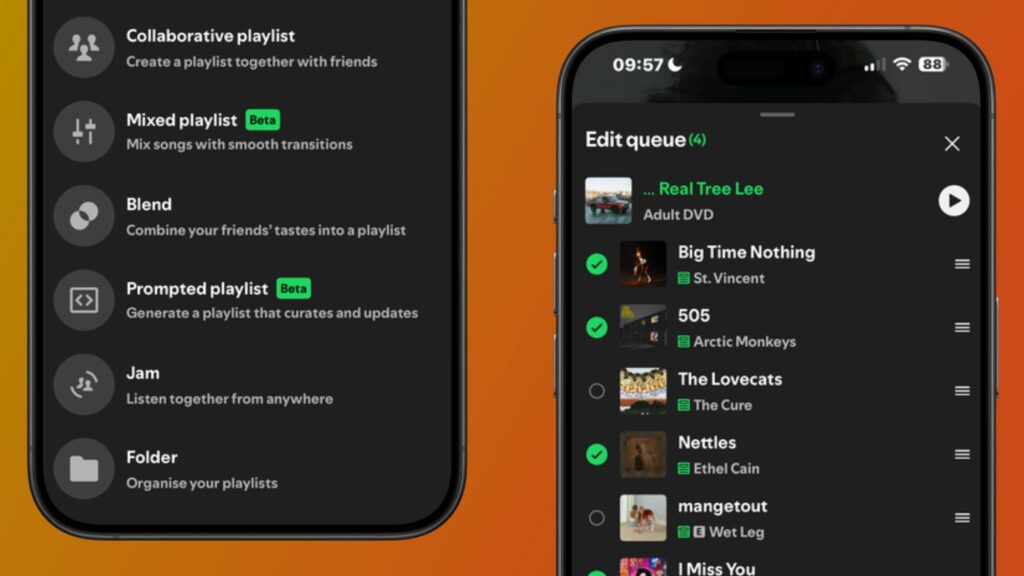
- Spotify has rolled out new playlist tools, including bulk editing features for queues
- Background download is rolling out to iOS users after being limited to Android devices
- Playlist folders are also being rolled out globally
I love creating new playlists in Spotify, but sometimes its limited editing and queuing tools make the experience more of a chore than a fun activity. Fortunately, the platform has just dropped a bunch of tools to make playlists more enjoyable and to ‘help keep listening smooth’ for both iOS and Android users.
Spotify announced yesterday (May 28) more control tools to help you edit your playlists and queue more efficiently. The new ‘Edit’ button, rolling out to Premium users globally, allows you to select multiple tracks at once, which you can either move up to play next time, or remove them from the queue entirely. This was a tool once offered on Spotify and is now being revived, and it also applies to audiobook and podcast episode queues.
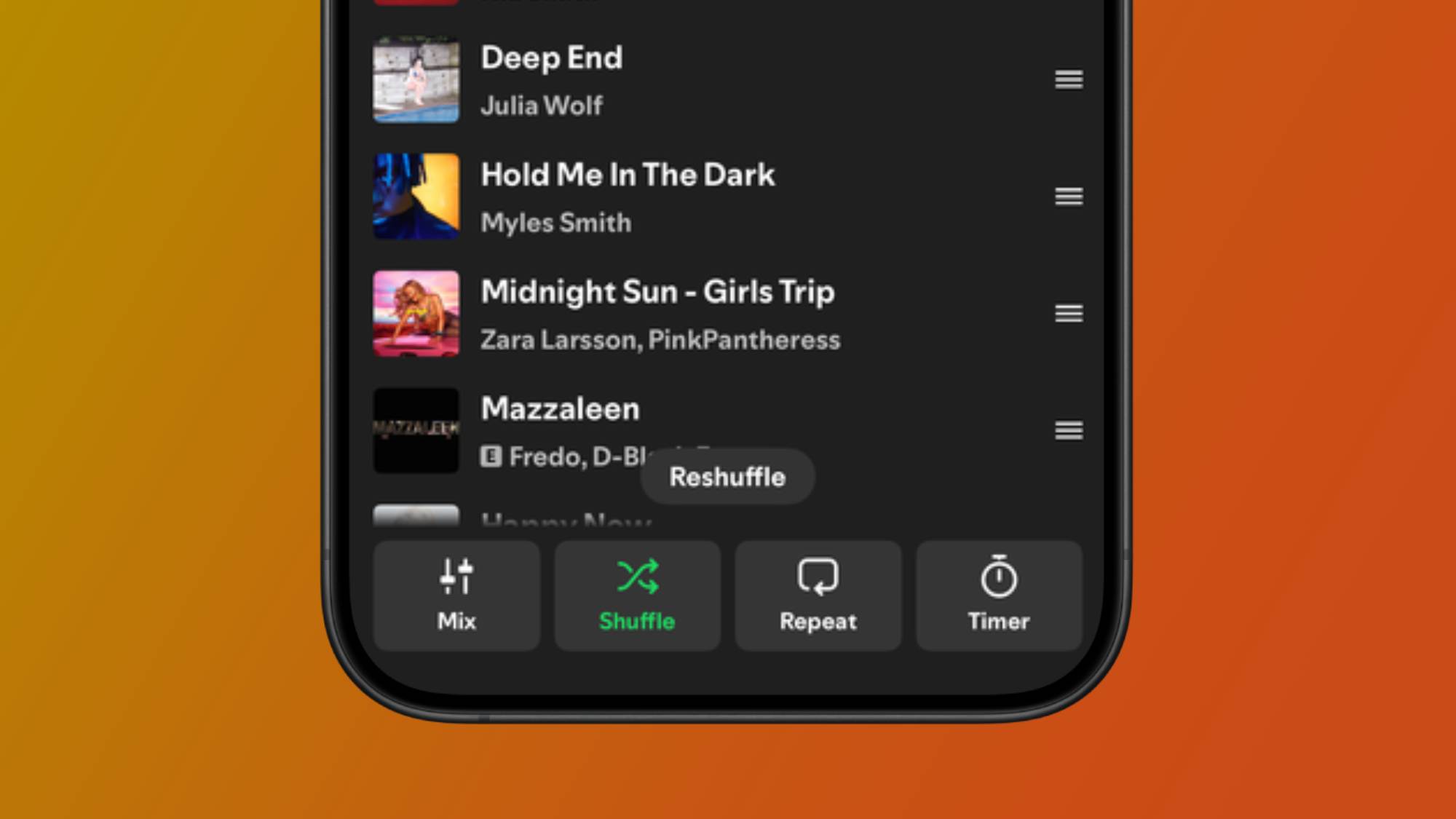
Spotify’s new ‘Reshuffle’ button is another feature I can see being a welcome addition to the app. If you find that a playlist isn’t quite giving you what you want, whether it’s one of your own or one curated by Spotify, the Genshuffle button will generate a whole new sequence of tracks – meaning you no longer have to manually toggle the default Shuffle icon off and on to change the order.

Yes, queue management has had a much-needed upgrade, but so have Spotify’s playlist organizing tools. Although we only discovered it a few weeks ago, the ability to create and add to playlist folders has rolled out globally to all users after being locked behind the desktop experience for 15 years.
However, these upgrades are just the beginning, and Spotify is also making offline listening for iOS users even more reliable with background downloads – a tool that has been limited to Android users until now.
For example, if you want to download a playlist or podcast episode, you no longer need to keep the Spotify app open to complete the download process. Now it does it all in the background for you and you get notifications to see the progress. “So whether you’re on a flight, underground or out of range, your listening is ready to go,” the company said in its announcement.
Spotify is adding a feature I’ve wanted for years
Lately I’ve found myself hitting a bit of a wall when it comes to making playlists in Spotify, and it’s not just because of a lack of inspiration. Playback and queuing features haven’t always made the experience as smooth as it could be, but Spotify’s new additions can alleviate many pain points for music fans.
I chronically add songs to a queue while commuting or while at a social gathering with friends, and one thing I’ve always wanted from Spotify is a ‘play next’ option similar to Apple Music – which is one of my favorite parts of the Spotify competitor.
Although there is still no ‘play next’ option for when you want to add individual songs, you can move your selected song directly from the queue. But unlike Apple Music, Spotify lets you move multiple songs to the top at once, which will not only save you tons of time dragging them individually with the three-line icon, but it’ll make your friends stop nagging you to bump a song they just requested.
As for playlist folders, I can’t believe it’s taken this long for Spotify to roll out a very basic feature, but hey, we finally got it now. If you’re anything like me and have different types of playlists for the same occasion (I have several workout and music-by-the-year playlists), keeping them in a categorized folder works wonders to keep your profile nice, tidy, and navigable.

Follow TechRadar on Google News and add us as a preferred source to get our expert news, reviews and opinions in your feeds.